
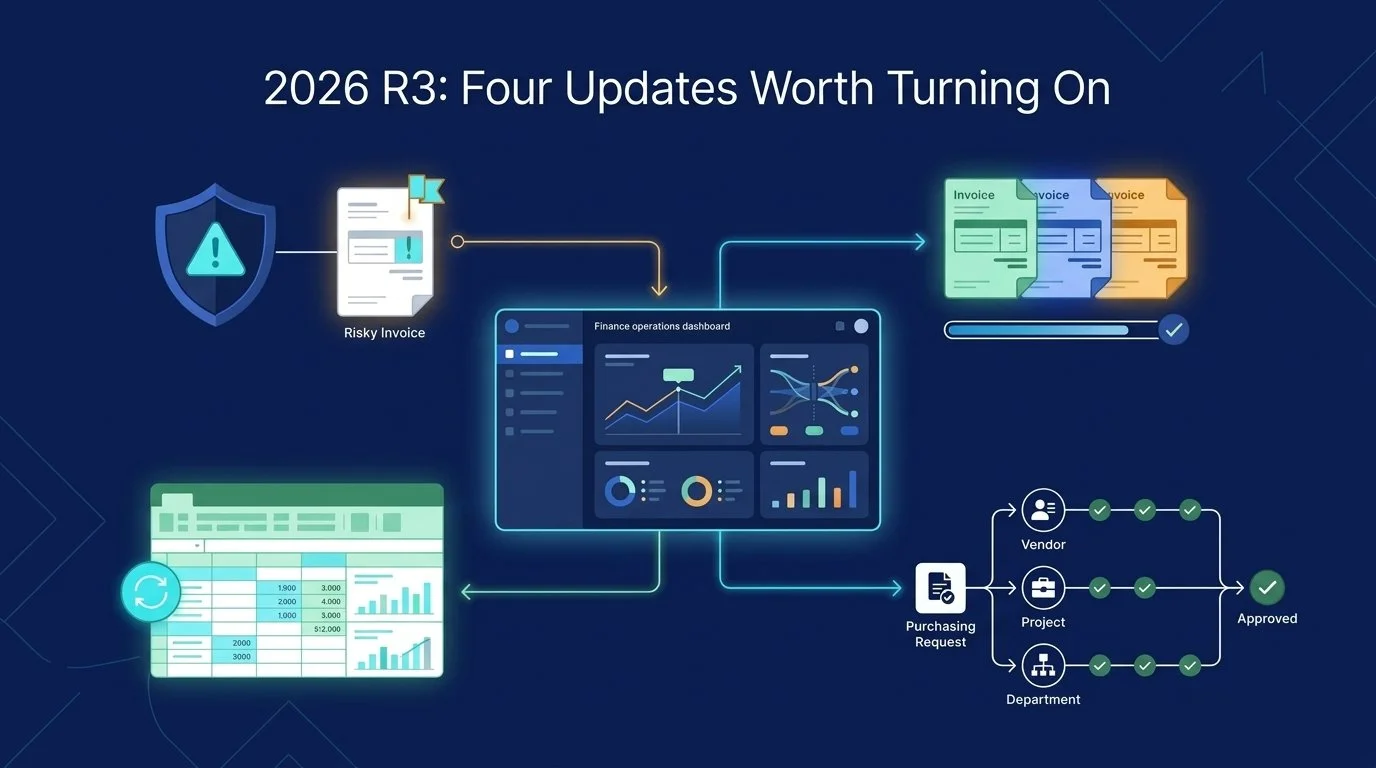
Sage shipped 2026 R3 on August 7. The release includes a long list of changes, but most finance teams do not need a long list. They need to know which changes remove friction from work they already do.
These are the four updates worth a closer look.
1. AI anomaly detection in AP Automation
Sage Intacct can now score incoming invoices for fraud and error risk and flag the outliers before they reach approval. The feature is available in all regions, but it requires AP Automation.[1]
That changes the review process from “inspect everything equally” to “focus attention where the risk is.”
If you already run bills through AP Automation, the practical workflow becomes:
Invoice enters AP → Intacct flags the outlier → your team reviews it → approved bills move forward
This does not replace judgment. It gives your team a better place to apply it.
2. Post multiple AR invoices and adjustments at once
Accounts Receivable users can now select multiple invoices and adjustments and post them in one action. The update is available in all regions.[1]
It is not flashy. It is useful.
If month-end includes opening, posting, and confirming transactions one at a time, this change removes a repetitive step from every batch. The same applies when adjustments have piled up and need to be cleared together.
Before: post each invoice or adjustment individually.
After: select the batch and post once.
3. Build refreshable financial reports in Excel
Smart Excel reporting lets teams build reports in Microsoft Excel using Sage Intacct financial data. The data remains linked, so the report can be refreshed with current information instead of rebuilt from a new export.[1]
This is an Early Adopter feature available in the United States, Canada, and the United Kingdom.
For teams whose board packages, management reports, or analysis already live in Excel, that matters. You can keep the workbook structure people know while reducing the export-pivot-reformat routine behind it.
Today: export, pivot, reformat, send.
With Smart Excel reporting: refresh the workbook, review, send.
4. Route Purchasing approvals with more precise criteria
Custom Purchasing approvals now support more header-level and line-level fields. Approval rules can use criteria such as vendor, project, department, location, warehouse, items, and item groups to route transactions or transaction lines to the right approver.[2]
This is also an Early Adopter capability. Line-level criteria require participation in both the Custom Purchasing approvals and Purchasing line-level approvals Early Adopter programs.[2]
The payoff is more precise routing without forcing every purchase through the same manual review path. A project purchase can go to the project owner. A high-value line can require another approval. A specialized item can go to someone who understands it.
One important constraint: a rule set using line-level criteria cannot combine those rules with header-level rules in the same rule set.[2]
Which updates should you turn on?
Start with the process your team repeats most often:
High AP volume or fraud concerns: evaluate anomaly detection.
Heavy month-end AR activity: use batch posting.
Recurring Excel-based reporting: ask about Smart Excel reporting.
Complex purchasing routes: evaluate the expanded approval criteria.
The best release notes are not the longest list. They are the changes that remove a review step, a rekey, or a one-at-a-time process.
If one or two of these look useful for your setup, grab 20 minutes with ERP PROS. We will help you sort out availability, requirements, and the cleanest way to put them to work.